

The Cool Stuff in Premiere Pro deals with advanced editing techniques to help you make better films. You’ll learn techniques to speed up your workflow dramatically, doing more work, faster, with better looking results. Reading this book, you’ll understand how to edit fast, and do compositing and motion graphics design in Premiere.
This is the second edition of this book, and covers new additions to Premiere since the first edition, like Lumetri Color, Motion Graphics Templates, VR Editing, Proxies and the Essential Sound Panel.

One chapter deals with time-saving workflows, another one with core editing techniques used by professionals in their daily work. A huge chapter covers advanced Color Grading inside of Premiere. There are also chapters on Audio Editing, Motion Graphics and Keying and Compositing. Advanced topics like multi-channel Audio editing and export, Multi-Camera editing and Dual System Sound editing are of course covered in great detail. In the Customizing chapter you’ll learn how to make Premiere work the way you want it to.
Chapters
- 01 Accelerated Workflow
- 02 Proxy Workflow
- 03 Audio in Premiere Pro
- 04 Editing Tips and Techniques
- 05 Multi-Camera Editing
- 06 Color Grading
- 07 Motion Graphics Inside Premiere Pro
- 08 Compositing in Premiere Pro
- 09 VR Video Editing
- 10 Customizing Premiere Pro
- 11 Integration
- 12 Export
- Appendix A: Troubleshooting Premiere Pro Problems
- Appendix B: Media Asset Management Systems
- Appendix C: Design Tips And Resources
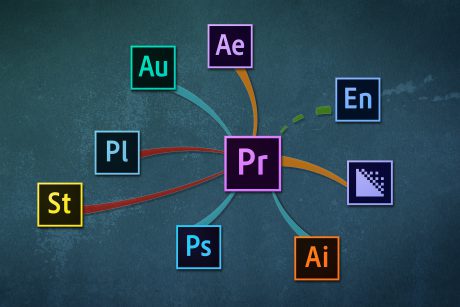
Learn about integration with other Adobe software and third-party software.
Printed version and e-Book
The book is available as a printed book, and as a digitally watermarked, DRM-free e-book that can be used on all reading devices
The book is published by Apress, and has its own page on their website. You can buy the book at Amazon US

If you want to get the e-book version (PDF and EPUB) immediately, order it directly from the Apress/Springer webiste.

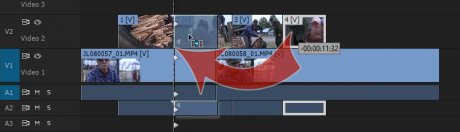
Learn how to perform Shuffle edits and advanced trimming.
High-quality info on Premiere Pro
The accuracy and quality of the material in this book is guaranteed since the Technical Editor was Colin Brougham, Quality Engineer on the Premier Pro team. There’s also an Introduction by Patrick Palmer, Program Manager for Adobe Premiere Pro.
This is a huge update from the first edition, so this time I hired three great co-authors: Dylan Osborn, Paul Murphy and Andy Edwards. They all have deep knowledge of Premiere Pro, and their contributions have made the book a lot better.
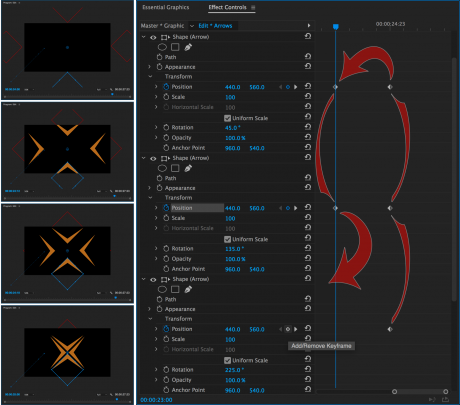
Learn the fastest way to keyframe your Motion Graphics animations
Here’s the text from the Apress book page:
Gain in-depth knowledge of Premiere Pro, and learn how the software “thinks.” You’ll acquire new skills that will help you choose the best workflow for your project, and simplify and accelerate your video editing process.
Learn how you can edit a lot faster with smarter workflows that automate several steps in the editing process. You’ll also see how custom settings, presets, keyboard shortcuts and templates saves hours of work. By tailoring the software to your needs you save clicks on just about every task. With many traditional jobs now being done by one person, its important to understand audio smoothing, color grading, motion graphics, and advanced editing techniques. You’ll learn these skills and disciplines and see how they’ll enhance your project’s workflow.
All the authors are professional editors and want to know exactly how to cut your film as fast as possible with top quality output. There is invaluable information in The Cool Stuff in Premiere Pro that’s not available anywhere else – not even in Adobe’s own manuals.


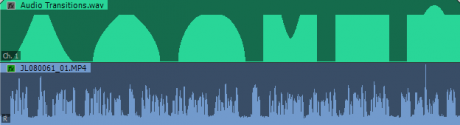
Learn the inner workings of proxy editing and 360° VR editing, and understand how the different audio transitions work.
Not for beginners
You’re supposed to know the basics of Premiere Pro before you dive into this book. You will not be told where to find different panels, or how to set in and out points. But if you’ve edited in Premiere for a while, or taken basic Premiere Pro training, you will be able to understand the techniques in this book.


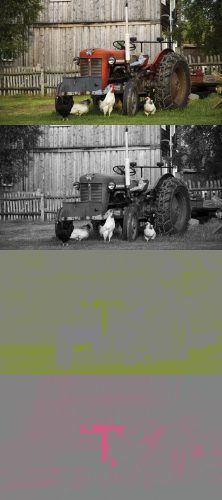

You’ll learn how to customize Premiere and to use other Adobe software for special tasks. You’ll make automatic, procedural garbage mattes and understand Color Subsampling.
What about new features in future versions?
Don’t worry about getting out-of-date info in the book. We’ll add links to tutorials and articles on new features in future versions on this page.
FAQ
- Can I buy the old version?
- The former (2015) version of the book is no longer available for download
- Some obsolete parts of the 2015 version are available for free as PDF files:
- Do I get a discount if I’ve already bought the old version?
- Those who bought the first edition got 50% off on the printed version, and 65% off on the e-book version.
- This offer has ended.
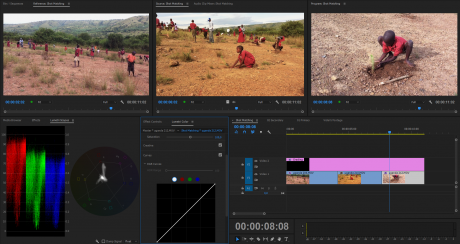
Learn Color Matching and get amazing control over the Lumetri Color panel

ISBN codes
If you want to use this book in the curriculum at a school or university, you will need the ISBN numbers. Here you go!
eBook ISBN 978-1-4842-2890-6
Softcover ISBN 978-1-4842-2889-0
Video from Apress
The people at Apress (the publisher) made this video of one of the color grading techniques from the book. Buy the book now on their website.
















