Inwista for Premiere: Professional Subtitles While You Finish Your Edit
The Inwista panel is the best thing that has happened to my subtitle workflow in years. One click sends the audio from your Premiere sequence to Inwista, and the finished subtitles come back onto your timeline, formatted the way a professional subtitler would do it. I send the job off, do the final polish on the sound mix and the color grade, and by the time I am done, perfect subtitles are waiting for me.
Why did I ask Inwista to build a Premiere panel?
Because the round trip was the only thing I did not like. Inwista already gave me far more accurate transcripts than Premiere’s own Speech to Text, and subtitles that read as if a person had made them. But I still had to export the audio, upload it, wait, download an SRT file and import it again.
So I asked the people behind Inwista to build a panel for Premiere. They did, and now the whole round trip is one button.
What does Inwista do that Premiere’s captions don’t?
Inwista is transcription made for subtitling, not just speech to text. Premiere can split a transcript into captions of a certain length, and that is about it. Inwista gives you the controls a subtitler actually works with:
- Text Condensation: word for word, exactly what people say, or a simplified version that is easier to read.
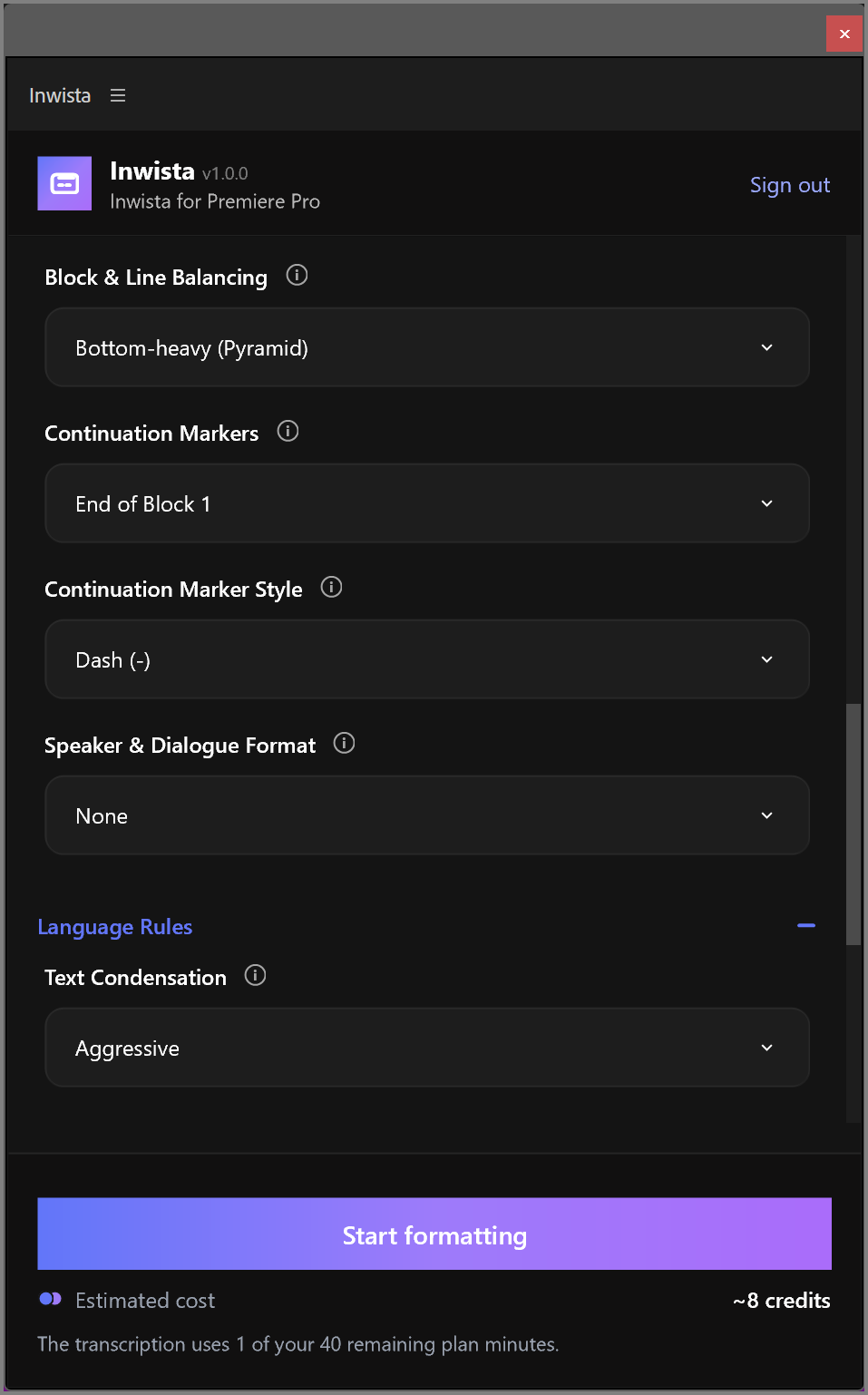
- Block & Line Balancing: decide how the text is split between the two lines, including which line should be the longest.
- Continuation Markers: a dash or an ellipsis when a sentence carries on into the next subtitle.
- Speakers and languages: dialogue formatting and translation into a long list of languages.
Every subtitle feature you have in Inwista is available in the panel. There are ready-made presets for standard subtitles, for TikTok and Reels, and for TV and streaming, and you can tweak any of them.
What is the secret sauce?
Text Condensation. People do not talk in tidy sentences. They repeat themselves, start over and fill the gaps with “you know”. Subtitles that print all of that word for word are hard to read, and a professional subtitler would never deliver them. A good subtitler condenses: keeps the meaning, cuts the noise, and gives the viewer time to read the text and still watch the picture.
I set Text Condensation to Aggressive. Do not let the name scare you. It is not nearly as aggressive as it sounds, and the result reads like subtitles made by a professional. If you need every single word, choose None (Verbatim) instead.
How do I install the Inwista panel?
- Create an account at Inwista. The Free plan needs no card.
- Open the Creative Cloud desktop app, go to Stock & Marketplace ▸ Plugins, search for Inwista and click Get.
- In Premiere, choose Window ▸ UXP Plugins ▸ Inwista. If it is not in the menu, restart Premiere.
- Click Sign in with Inwista and connect the panel to your Inwista workspace.
How do I make subtitles with the panel?
- Open the sequence you want to subtitle.
- Tick the audio tracks with speech on them, and untick music and effects.
- Choose the language that is spoken, and tick Label speakers if you want speaker names.
- Pick a preset, or set up the formatting yourself. I use Aggressive Text Condensation.
- Click Start formatting and get on with your edit. Premiere stays free while Inwista works.
When the job is done, the panel imports an SRT file and places it on your sequence as a caption track. Want to fix a name or add another language? Edit in Inwista opens the transcript in Inwista’s editor in your browser. Or simply edit the captions in Premiere’s Text panel.
Frequently asked questions
Is the Inwista panel free?
The panel is free, but you need an Inwista account. The Free plan includes some transcription minutes every month. Formatting and translation use AI credits, and the panel shows the estimated cost before each job.
Which version of Premiere does the Inwista panel need?
Premiere 25.6 or newer, on Mac or Windows.
Can I keep editing while Inwista makes the subtitles?
Yes. The panel exports the audio and sends it off, and you can keep working in Premiere while Inwista transcribes and formats it.
Can Inwista translate my subtitles?
Yes. Choose the Translation tab in the panel and pick a language. Each job gives you one target language.
The Inwista links in this post are referral links.